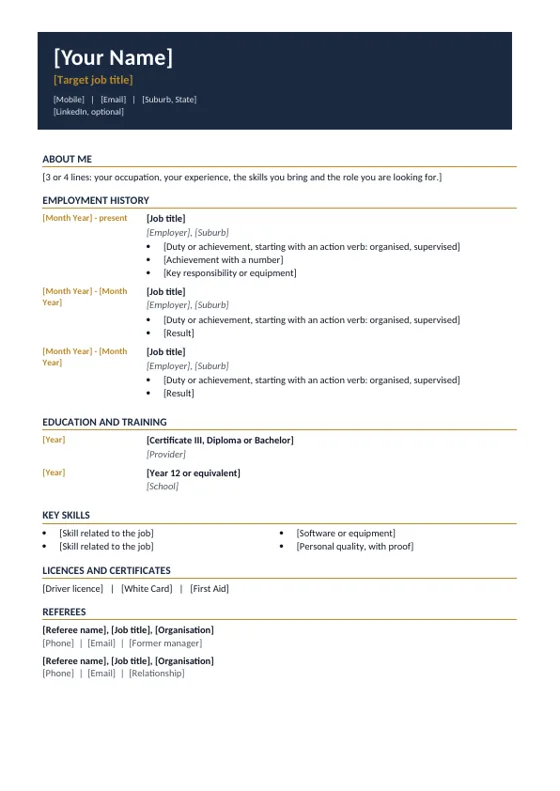
Elegant resume
A navy header band with your name and target role, then a timeline with dates on the left, and referees at the end.
.docx file, A4, 1 page
Download the Word templateDownload a free resume template for Word below: five .docx files built for job applications in Australia, where a resume is also called a CV. You get an elegant design, a two-column design, a classic, a modern and a no-experience template, each with a referees section at the end, and they open in Word, Google Docs or LibreOffice.
Want to skip the formatting? The CVLibre online resume builder guides you through each section, offers 33 templates and gives you a clean PDF, free.
Build my resume online
A navy header band with your name and target role, then a timeline with dates on the left, and referees at the end.
.docx file, A4, 1 page
Download the Word template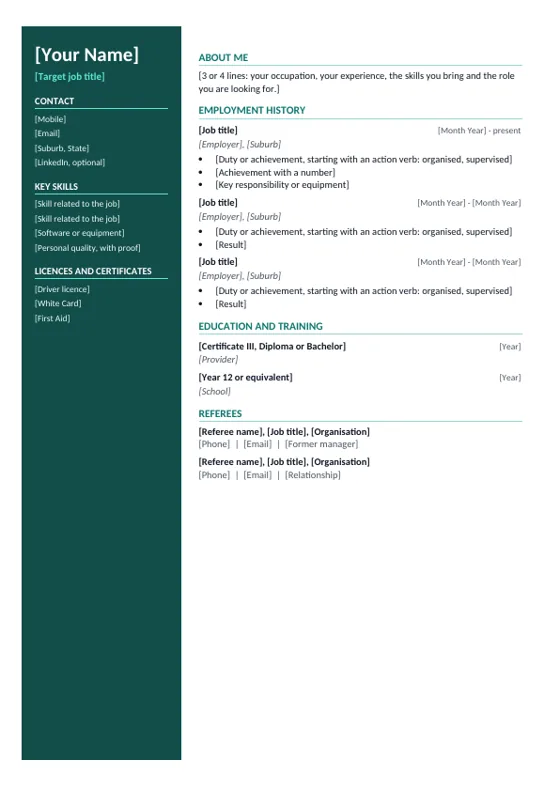
A coloured sidebar for contact details, key skills and licences, with your experience and referees on the right.
.docx file, A4, 1 page
Download the Word template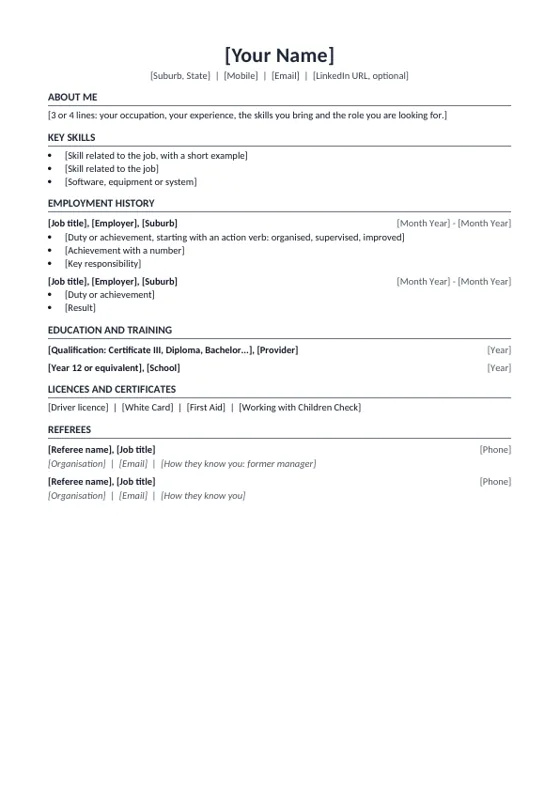
For most jobs: about me, key skills, employment history, education, licences and certificates, then two referees. Clear and easy to scan.
.docx file, A4, 1 page
Download the Word template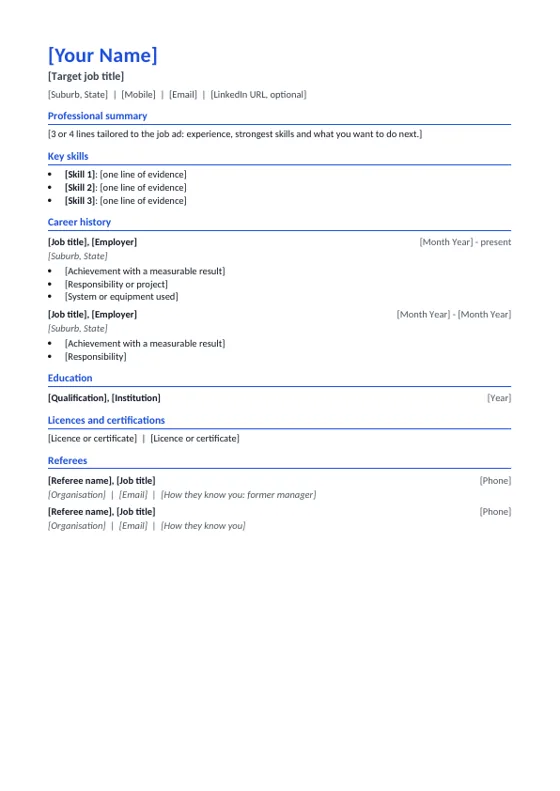
With your target job title under your name, a professional summary and key skills with evidence. Suits office, health, trade and retail roles.
.docx file, A4, 1 page
Download the Word template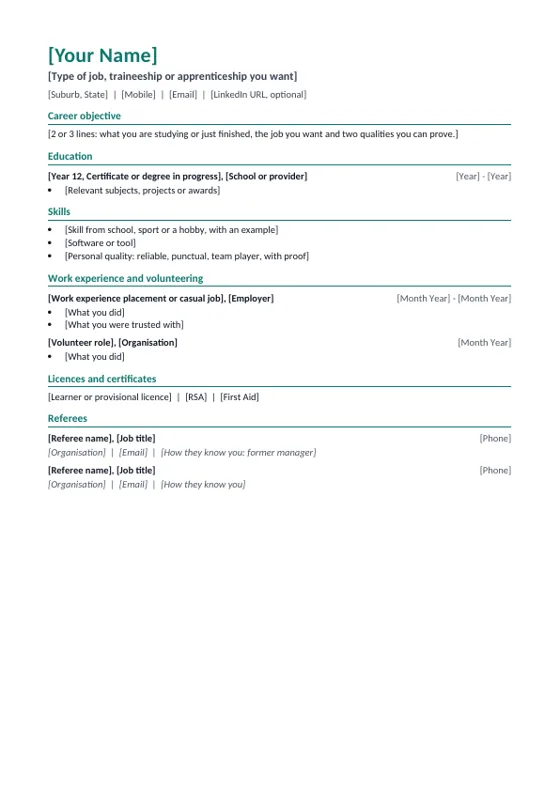
For school leavers, students, traineeships and apprenticeships: career objective, education, skills, work experience placements, volunteering and referees.
.docx file, A4, 1 page
Download the Word templateReplace every text in square brackets with your own details, then delete the brackets. The headings and bullet points use real Word styles: to add a job, copy an existing block and paste it underneath, and the formatting follows.
The classic resume suits nearly every job. The modern template is handy when you want your target role and strongest skills at the top, for example after a change of career. The no-experience template is for your first casual job, a traineeship or an apprenticeship: school, sport and volunteering all count.
The elegant and two-column designs stand out when you email your resume or drop it in. For online application portals, the classic template is the safest choice, because some systems read columns in the wrong order.
Ask someone to proofread it for spelling and grammar. Save it as a PDF (File, Save As, PDF) unless the job ad asks for Word, and give it a clear name such as "Firstname-Lastname-Resume.pdf". Tailor your summary and skills to each job ad, and address the selection criteria if there are any.
To add a bullet point, press Enter at the end of an existing one. To move a whole section, select its heading and the lines below it, then cut and paste. If your text spills onto a second page, shorten older jobs to one or two bullet points before you make the font smaller: 10 points is about as small as you can go and stay easy to read. The page is set to A4, so it prints correctly on standard paper, and the margins are about 1.8 cm.
For more help, read our guides on how to write a resume and referees on a resume.
Want to skip the formatting? The CVLibre online resume builder guides you through each section, offers 33 templates and gives you a clean PDF, free.
Build my resume onlineYes. No account, no email and no payment: download the .docx file and use it for your applications.
Mostly, yes. Australians use both words for the document you send with a job application. Resume is more common, and CV is often used for longer academic or medical profiles.
At least two, usually people who have managed or supervised you. Ask them first, and do not list family members.
Sources: Department of Employment and Workplace Relations, resume tips and example resume.